Home / Systems
Systems
145 apps · 97 scheduled jobs · 169 skills · built 2025 – 2026
I'm not a programmer. I build software by directing AI coding agents: I design the system and decide what it should do, and the agents write the code. These are the tools that keep a working studio running.
Screenshots are from the live tools. Personal details (tasks, money, names, other people's designs) are blurred or replaced with plain tiles.
Slop Machine
my operating system · October 2026 rebuild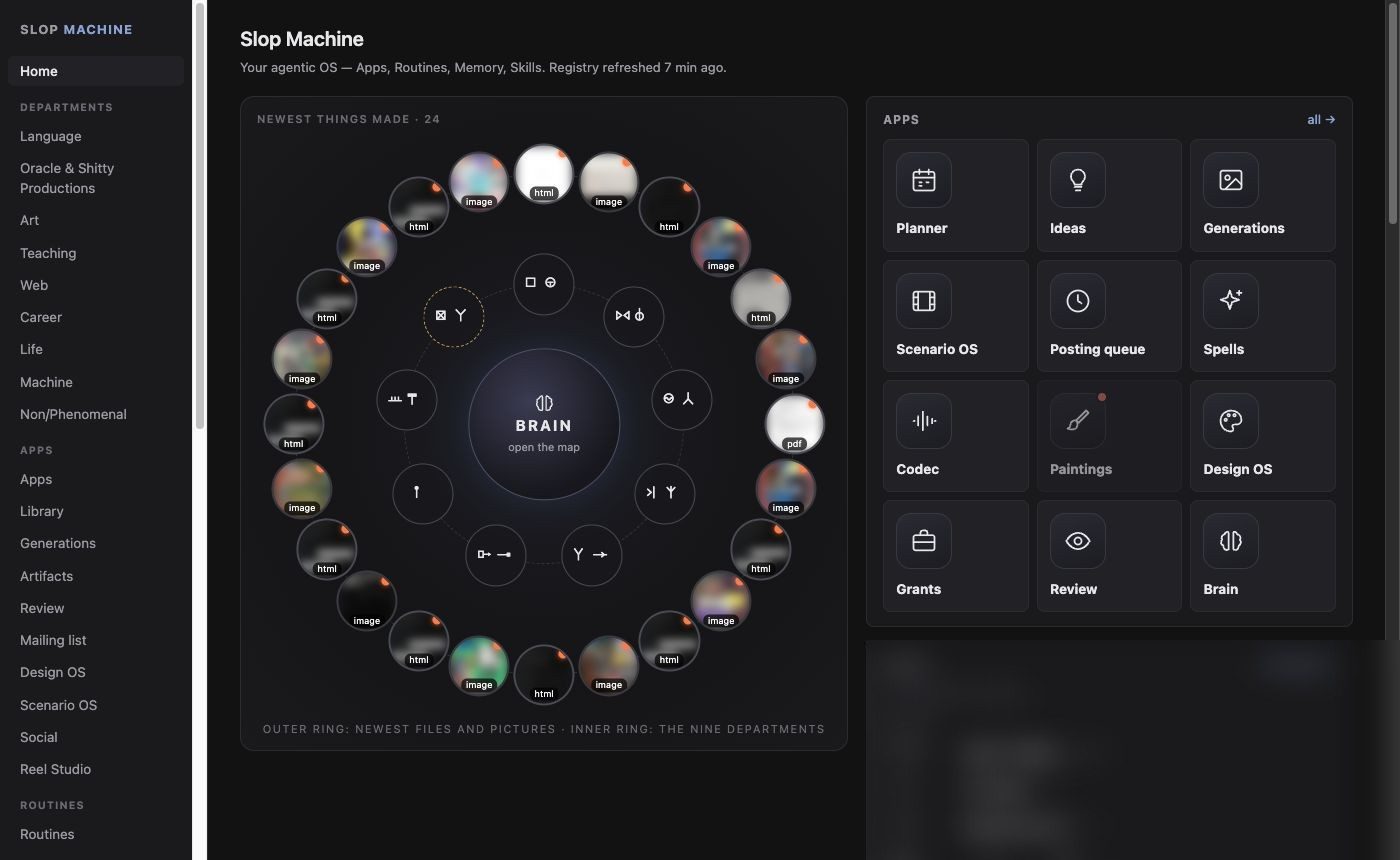
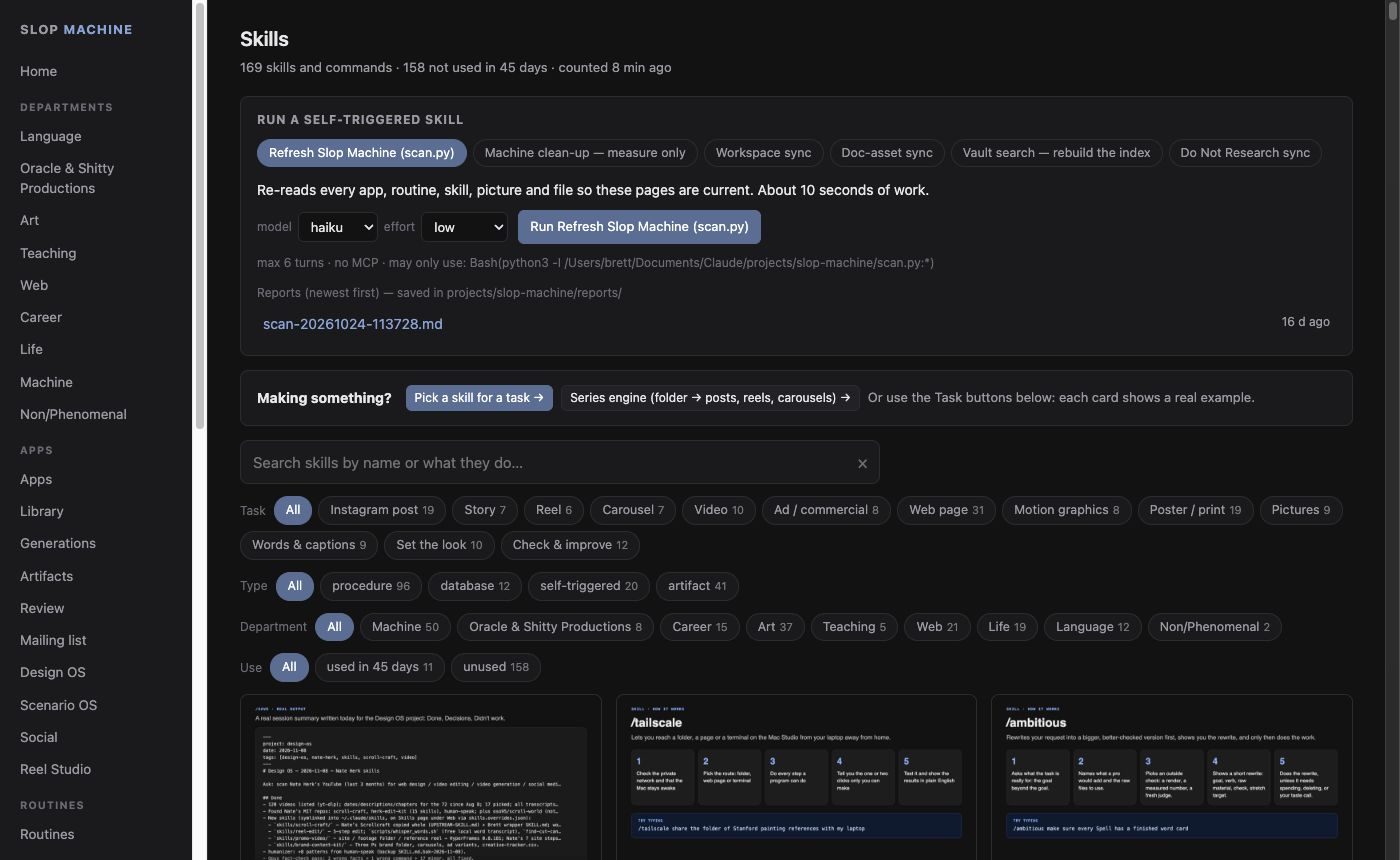
Home. The outer ring is the newest files and pictures, the inner ring the nine departments of the studio.
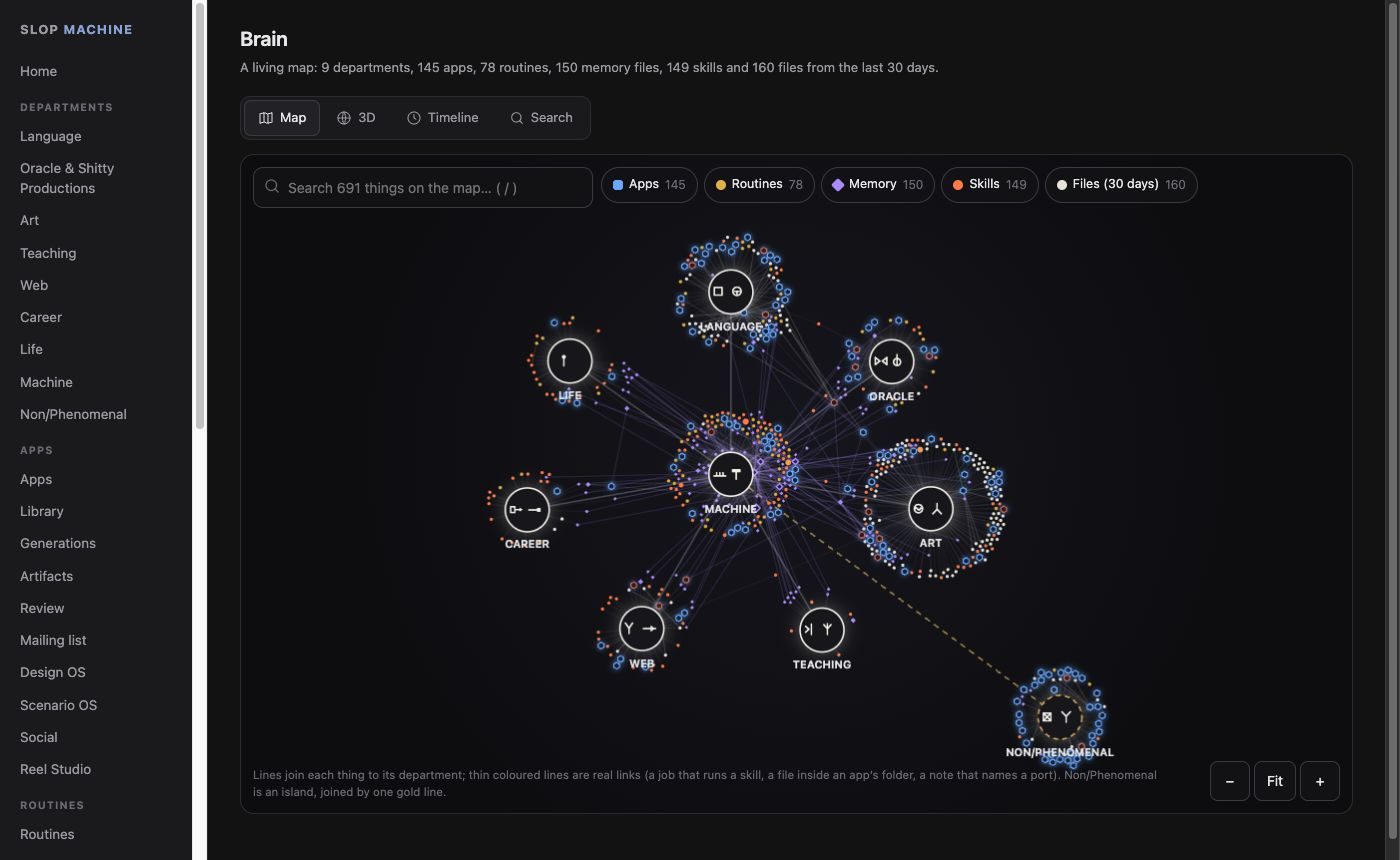
One dashboard for everything: the studio's nine departments (language, the Oracle and shop, art, teaching, web, career, life, the computer itself, and the Non/Phenomenal collective), every app, every scheduled job and every skill.
It is organized around four parts: Apps (things I open), Routines (jobs that run on a schedule), Memory (what the system needs to remember between sessions) and Skills (packaged instructions Claude follows for a kind of task). A scanner re-reads all of it every 30 minutes, so the pages stay current without anyone updating them.
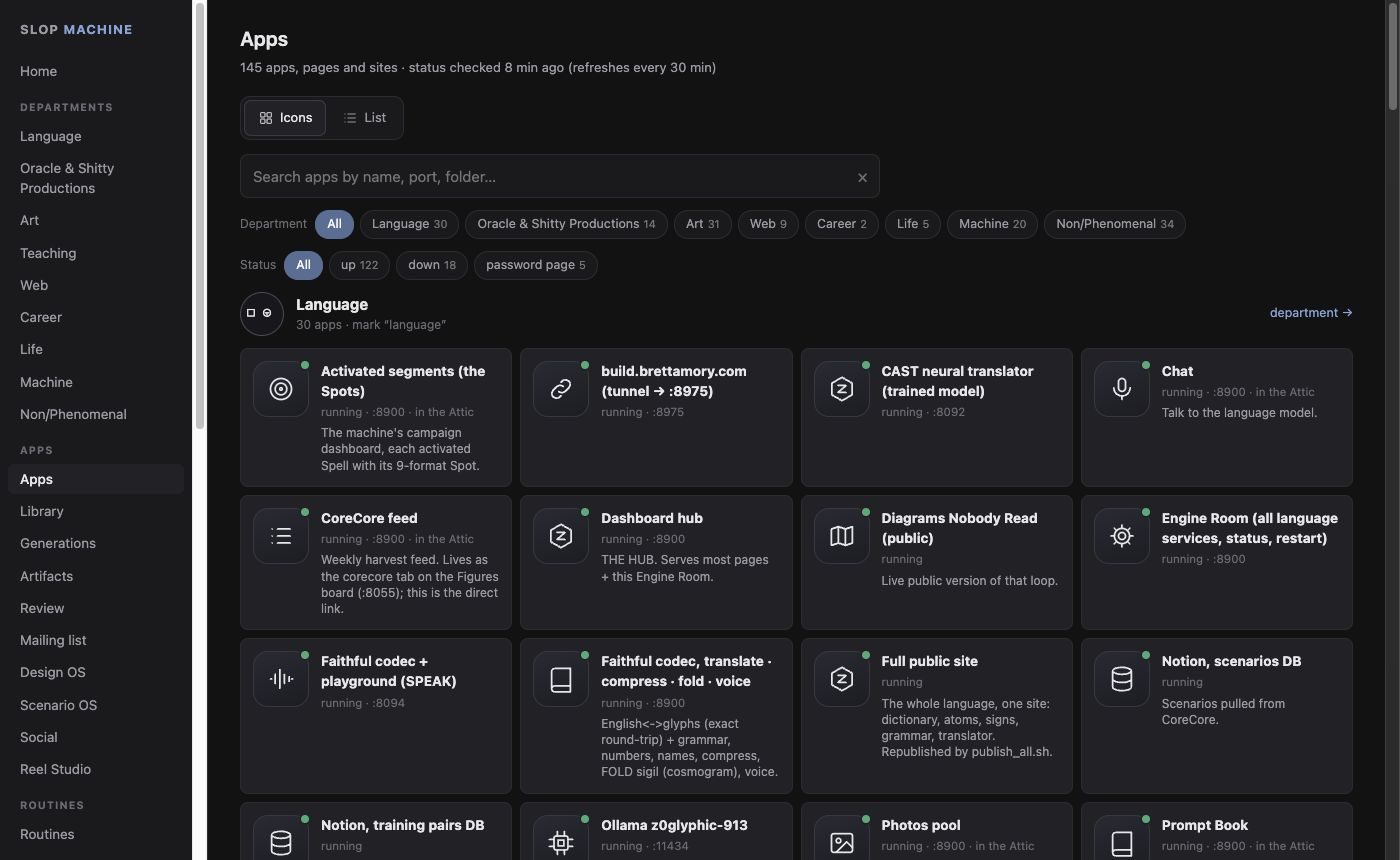
- Apps: 145, each with a live up/down check.
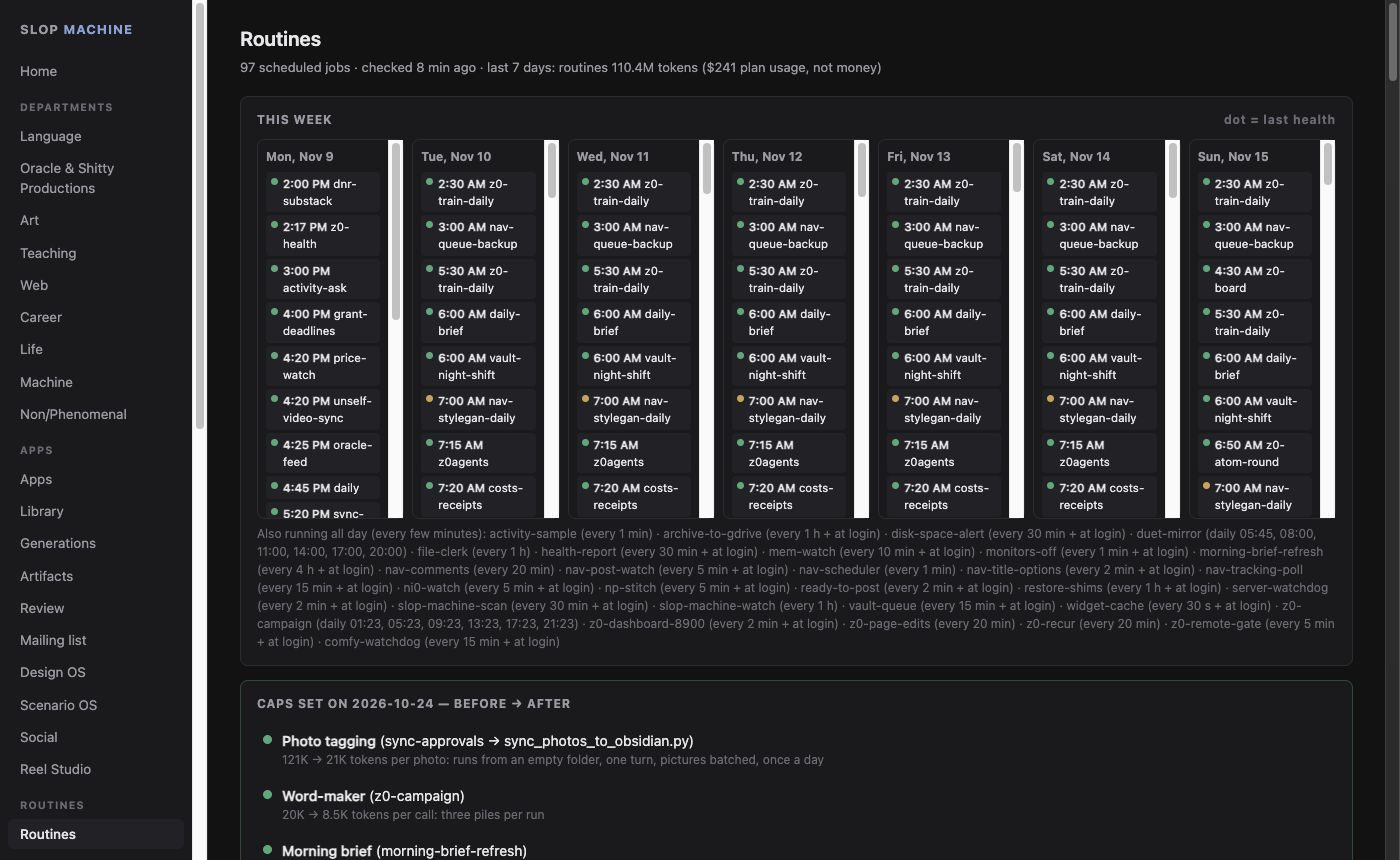
- Routines: 97 scheduled jobs with their next run, last result, and a weekly spending cap I can set per job.
- Skills: 169, each with a Run button that runs it in a sandbox, one at a time.
- Library: every project's documents, images and videos in one place, saved automatically.
- Generations: 7,965 generated images and videos, with their review status.
- Agents: tick "agent ready" on a task and a headless Claude picks it up within a minute, works it, grades itself and hands it back for review.
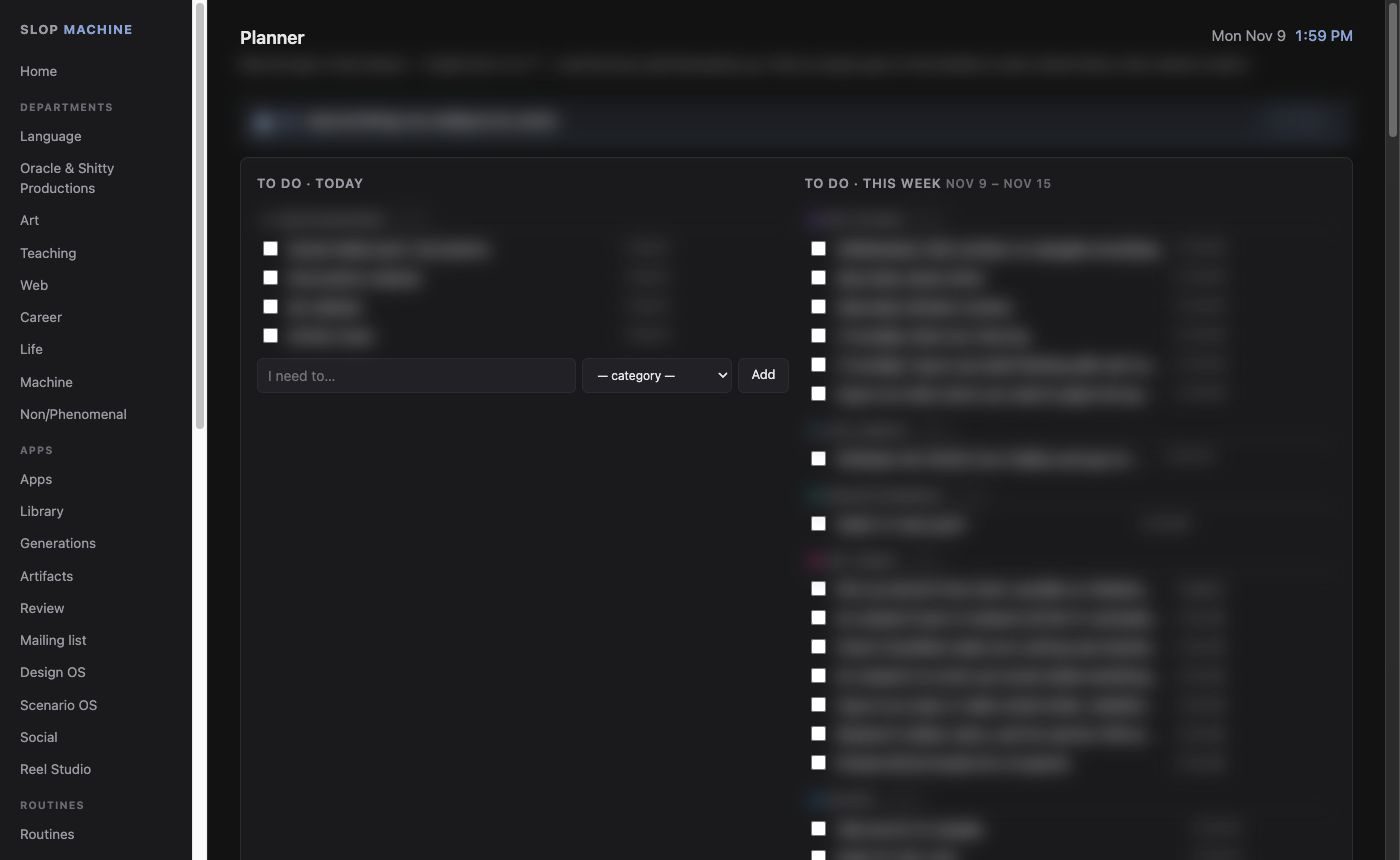
The morning brief
every day at 6:30 AMAn email that writes itself before I wake up. It runs in Google's cloud, so it arrives even when my computer is off.
- It readsMy calendar, my inbox, and the task and project databases in Notion.
- It sorts the mailEmails are filed by sender rules I teach it, and newsletters I don't read get unsubscribed.
- It plans the dayIt packs 60 to 90 minute blocks between 8 AM and 9 PM, filling open time from the projects that still have hours left that week.
- It lands as one emailSeven sections: today's calendar, emails that need action, weekly progress, suggested blocks, the Notion inbox with delete and sort buttons, tasks in progress, and where the mail went.
A second version runs on the computer at 6 AM and writes a daily plan into my notes, and a small widget on my desktop shows the day at a glance.
No screenshot: the brief is made of my own mail and tasks.
Engine Room
the switchboard for the art system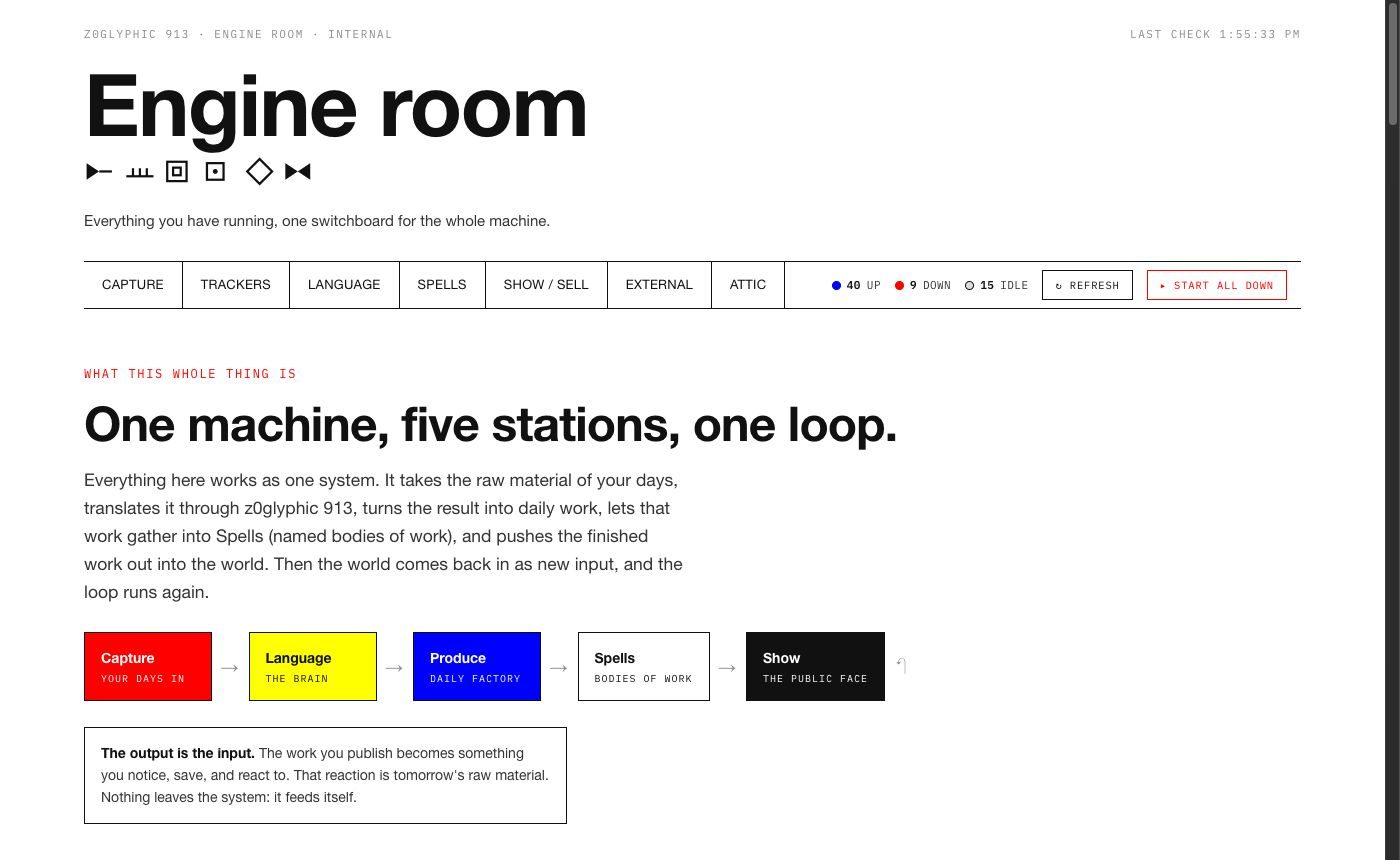
A live control board for every program behind z0glyphic 913, Surveil Thyself and the Spells. Each service has a status light, an Open button and a Restart button, and one button restarts everything that has stopped.
The services are arranged as the system's own loop: Capture (what I open daily), Trackers (photos, browsing, video, notes, screen time, read automatically), Language (the dictionary, translators and model), Spells, Show and sell, and an Attic where low-traffic tools are parked, never deleted.
One list of services feeds both this page and the app that starts the whole stack, so editing it once updates both.
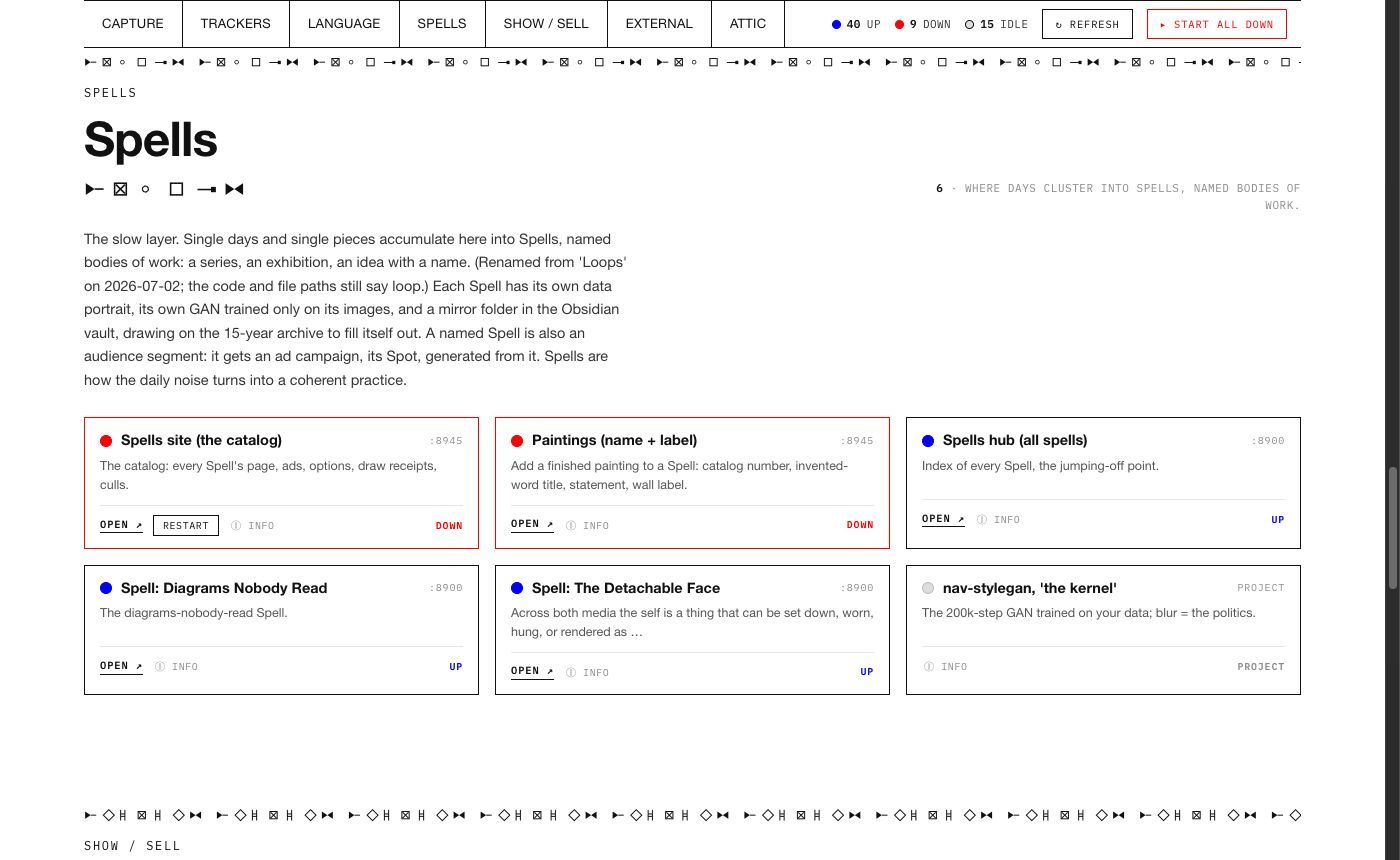
The Spells room. How Spells form →
Design OS
style systems · August 2026A shelf of style systems: files that describe a visual look precisely enough that Claude can make new posters, pages and posts in it. Pick a style, a model and a brief, and it builds. It registers each style by its location on disk and never copies the file.
- A look is capturedA reference is screenshotted, or a live site's styles are read, and turned into a written style system.
- Its DNA is measuredFor my own designs, Claude measures colour coverage, type-size ratios and margins, names the one "weird move" that makes the look, writes bans and tests a bad copy would fail, then rebuilds the original from the rules alone to prove they are complete.
- Builds are madeA style, a model and a brief go in; a page, a sized post or text comes out, ready to export or send to the posting queue.
- It learns my tasteI make about ten times more than I post, on purpose. Every Sunday night a job reads what I kept, tossed and wrote about, and rewrites a taste file. My own corrections in it are never overwritten.
Many of the style systems are studies of other designers' work, so their thumbnails are replaced here with plain tiles.
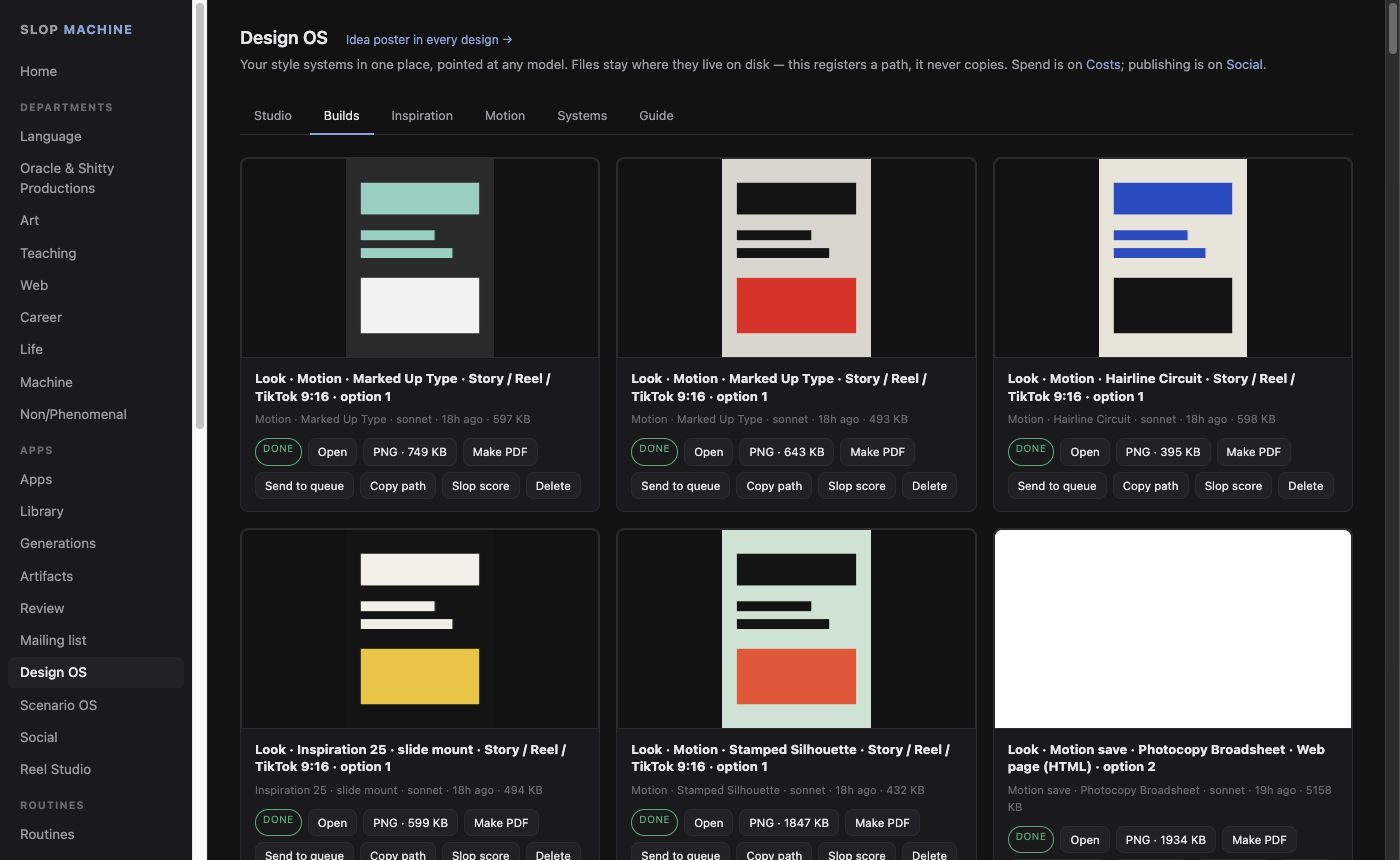
The Builds gallery, thumbnails replaced with generic tiles.
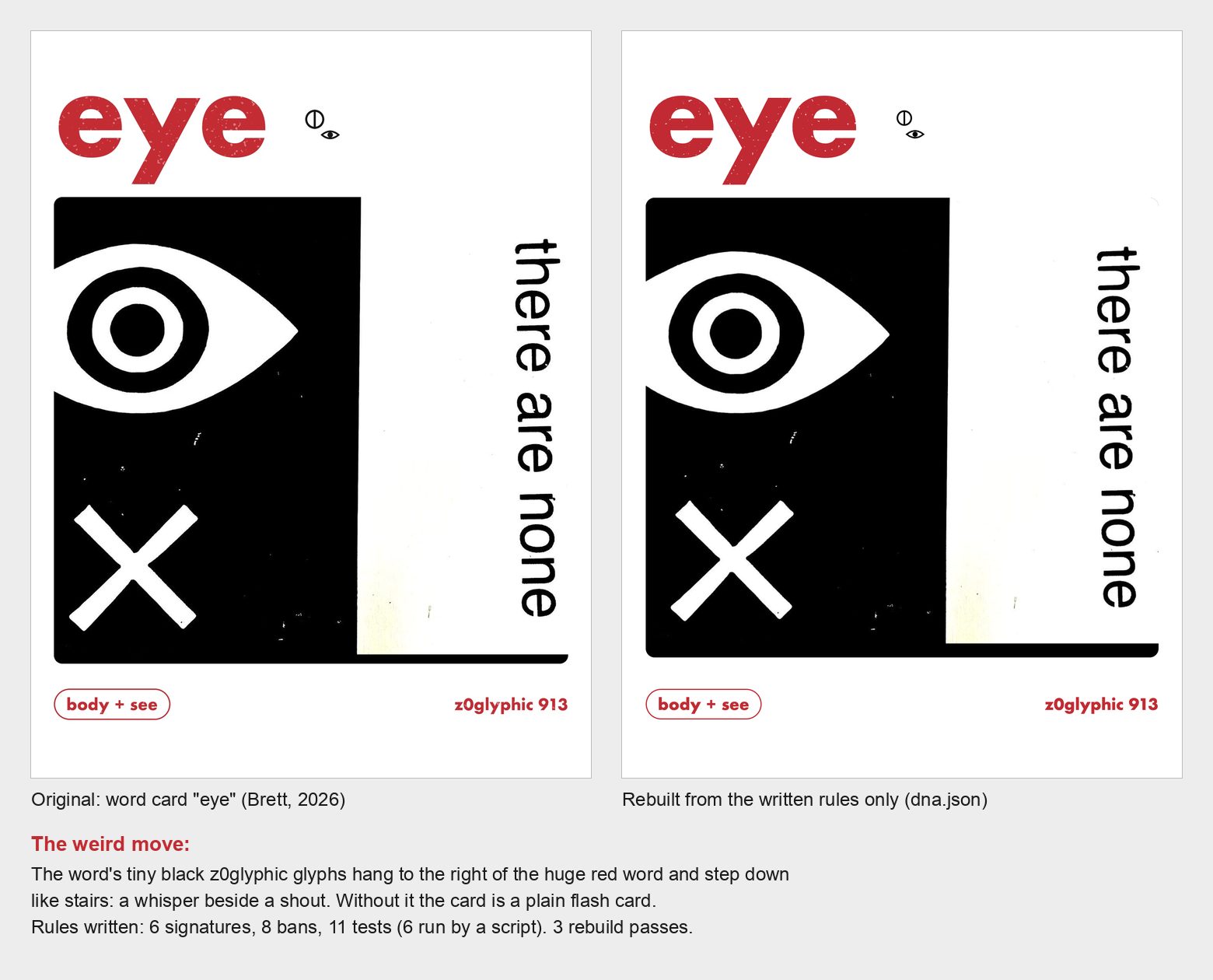
Design DNA on my own word card "eye": the original, and the rebuild made from the written rules alone. Six signatures, eight bans, eleven tests, three rebuild passes.
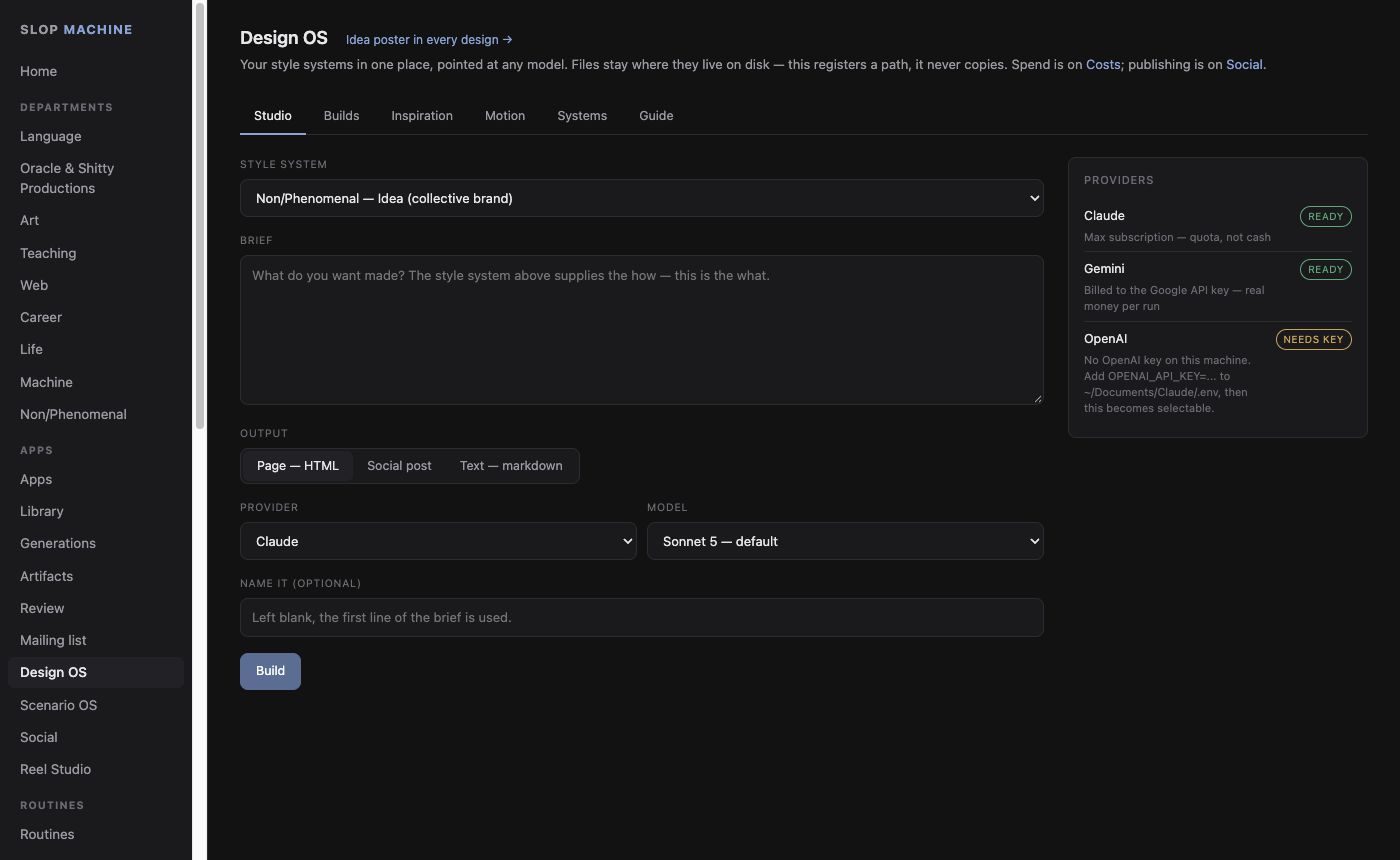
The Studio: style, brief, output, model.
Non/Phenomenal studio
np.brettamory.com · September 2026A private website for the art collective Non/Phenomenal. Members sign in with one shared password and can post to the collective's Instagram, build carousels and reels, plan, file receipts, edit posters and keep documents, without needing my computer.
- Pictures come inFrom phone uploads (converted in the browser), a member's board, or the studio's reference boards, and can be cropped in the page.
- Posts move through stagesLibrary, weekly slot, draft, approved, scheduled, posted.
- It posts on its ownEvery five minutes the site sends anything due to Instagram through Buffer, with retries. Pictures are fitted to Instagram's frame sizes automatically.
- It makes formatsCarousel slides are rendered from templates in the cloud; reels are stitched on my computer and sent back.
- CaptionsA small model drafts captions for about half a cent each.
Runs on Cloudflare (two Workers, a database and file storage). No screenshots, because the pages are the members' private space.
Posting scheduler
May 2026 onwardThe week's posting grid across Instagram, TikTok, YouTube and X. Pictures blurred.
One queue for everything I post, across five accounts. Drafts are dragged onto a weekly calendar, and a timer sends each one out at its time.
Reel editor. One button turns my pictures, a chosen look and the words I type into a motion reel, built in code. A chat panel changes the reel by talking.
Scenario OS. Research a topic, approve articles, turn them into Oracle scenarios, approve again, then video and the queue. Nothing renders or posts without a click.